

🎨 Photoshop Bootcamp That Turns Beginners Into Confident Creators | Digital Download!
Photoshop Bootcamp by Derrick Mitchell is a hands-on design and photo editing course priced at $46.2 with a total size of 6.61 GB, created to help beginners and intermediate learners master Adobe Photoshop through practical, real-world projects. Instead of focusing on isolated tools, this course teaches Photoshop as a creative problem-solving platform used by designers, photographers, and businesses.
💼 Free Proof Download – Verified High-Quality Content Included
Get instant access to our official, verified materials — designed to deliver trusted, professional content you can use right away.
🎬 1. Welcome to the course! | Watch the Official Video Sample:
Preview the full experience through our official video and see exactly what’s included in the downloadable version.
✅ Verified Proof of Content Quality:
Explore verified credentials and quality assurance details confirming the authenticity and accuracy of the material.
📄 Preview the Free PDF Sample – 2. cheat-sheet_photoshop_display:
View a high-resolution PDF excerpt to check the structure, design, and depth of information before downloading the complete file.
🧠 Zero-Overwhelm Learning That Makes Photoshop Feel Simple
Many people open Photoshop and feel overwhelmed by panels, tools, and settings. This course removes that friction by starting from the very beginning and gradually building complexity as your skills grow.
You’ll learn how to navigate the Photoshop interface, understand core concepts, and apply them immediately in projects. Every lesson focuses on clarity and practical application rather than memorizing features.
🔹 You’ll learn how to:
-
Navigate the Photoshop dashboard with confidence
-
Understand raster vs vector graphics
-
Work efficiently with layers and smart objects
-
Build clean workflows you can reuse
This structured approach helps beginners gain momentum quickly.
🧰 Core Photoshop Tools Explained Through Practical Design Use
Rather than teaching tools in isolation, this course shows how professional designers actually use Photoshop in real workflows. You’ll explore the main Photoshop tools while applying them to meaningful design tasks.
You’ll work on:
-
Photo editing and color correction
-
Image compositing and blending techniques
-
Logo and branding assets
-
Packaging and product mockups
Each project reinforces technical skills while improving your creative decision-making.
🧩 Photoshop Bootcamp Projects That Build Portfolio-Ready Skills
Photoshop Bootcamp is built around real-world projects that reflect how Photoshop is used in professional environments. These projects help bridge the gap between learning tools and producing work that looks polished and intentional.
📂 Project-based learning includes:
-
Apparel and eCommerce mockups
-
Social media graphics and posters
-
Movie and music poster designs
-
Desktop wallpapers and packaging visuals
By completing these projects, you gain practical experience that translates directly to personal, academic, or professional use.
💡 Practical Benefits Beyond Just Learning Photoshop
Photoshop is not just about knowing which button to press — it’s about visual communication. This course helps you develop an eye for composition, contrast, and detail.
As you progress, you’ll understand how subtle adjustments make designs feel realistic and professional. You’ll also learn how to create multiple versions of a design efficiently for print and web.
🚀 Key benefits include:
-
Faster, more confident design execution
-
Cleaner, more professional-looking visuals
-
Better understanding of composition and hierarchy
-
Ability to adapt designs across platforms
🛠 Hands-On Skills You Can Apply to Any Creative Project
By the end of this course, you’ll have a strong foundation in Photoshop that supports both creative and professional goals.
You’ll be able to:
-
Edit and retouch photos effectively
-
Blend multiple images into seamless composites
-
Design logos and branding assets
-
Create social media graphics and posters
-
Build realistic mockups using smart objects
-
Prepare files correctly for print and web
The course also includes advanced elements for intermediate learners who want to push further.
🎯 Who Will Get the Most Value From This Training
This course is designed to be flexible and inclusive, making it suitable for a wide range of learners.
Photoshop Bootcamp is ideal for:
-
Beginners learning Photoshop from scratch
-
Intermediate users refining their workflows
-
Aspiring graphic designers and photographers
-
Creatives building portfolio-ready projects
-
Hobbyists exploring digital design
Whether Photoshop is a career tool or a creative outlet, this course adapts to your goals.
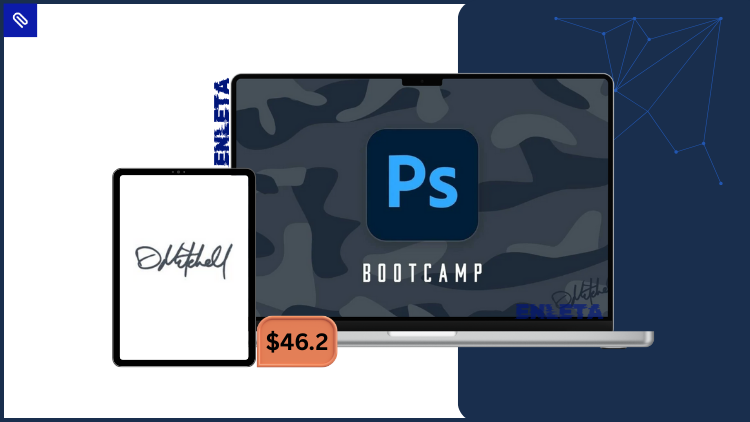
Photoshop Bootcamp teaches Photoshop from the ground up using real projects like photo editing, compositing, logo design, and mockups. It’s designed to help you create professional-quality graphics with confidence.
❓ Frequently Asked Questions
Is Photoshop Bootcamp suitable for complete beginners?
Yes. The course starts from the basics and explains Photoshop tools and workflows step by step.
Do I need a specific version of Photoshop?
Access to Adobe Photoshop 2020 or 2021 is recommended for the best learning experience.
Does the course include real projects or just tutorials?
The course focuses heavily on real-world projects like logos, mockups, posters, and photo composites.
Is this course useful for intermediate users?
Yes. In addition to beginner content, the course includes advanced techniques that help intermediate users refine their skills.
Can’t find the course you’re looking for on Enleta? Contact us and we’ll help you locate it.
🔥 Photoshop Bootcamp by Derrick Mitchell – Final Verdict & Next Steps
Photoshop Bootcamp by Derrick Mitchell is a practical, project-driven Photoshop course priced at $46.2 with a total size of 6.61 GB, ideal for anyone who wants to master photo editing, compositing, and graphic design using Adobe Photoshop.
👉 Enroll in Photoshop Bootcamp today and start creating professional-quality designs with confidence.
Reviews
There are no reviews yet.